PDE uses product features to define the text, images, tabular data and other types of information you will need for your products.
Defining product features is broken up into two steps:
- Defining the feature (name, type and usage)
- Populating the feature data and the rules to determine the product with which this feature should be shown.
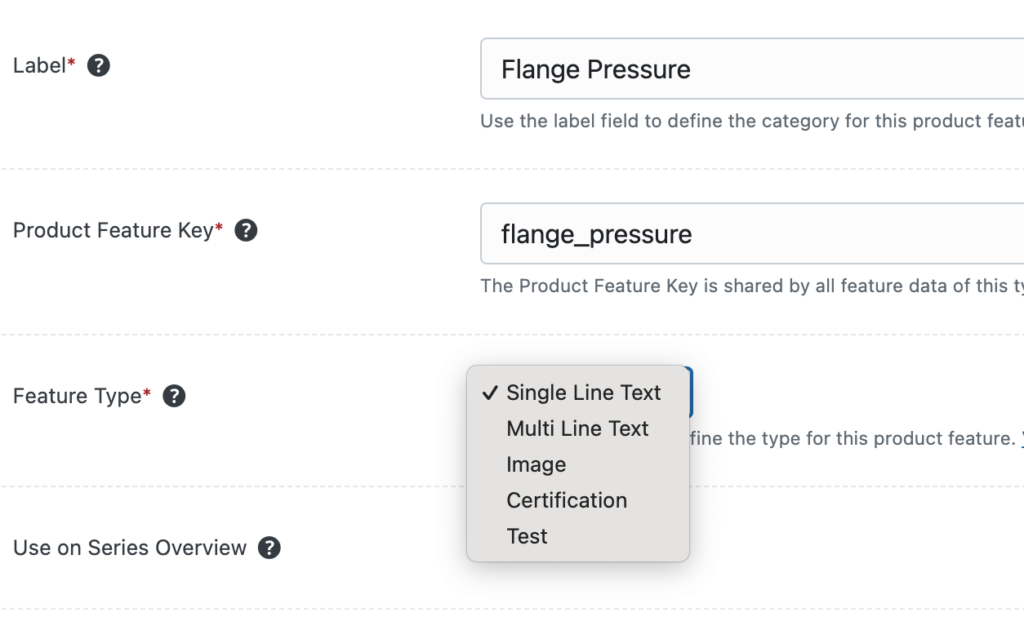
The fields used to define a product feature are:
Label (Name): Use this field to give a feature a customer-facing label or name. The label will be commonly shown in feature lists on product web pages and data sheets. For example, a table of features with a column for labels and a column for values.
Product Feature Key: This is the way the system refers to the feature and also becomes the way to show a feature as dynamic text. By default, the system will make this lowercase underscore version of the Label. The Product Feature Key must contain only letters, numbers and underscores.
Feature Type: Choose from one of the built-in uses product features to define the text or images or a custom-defined feature. More details here.